
SpinsUp Mobile App
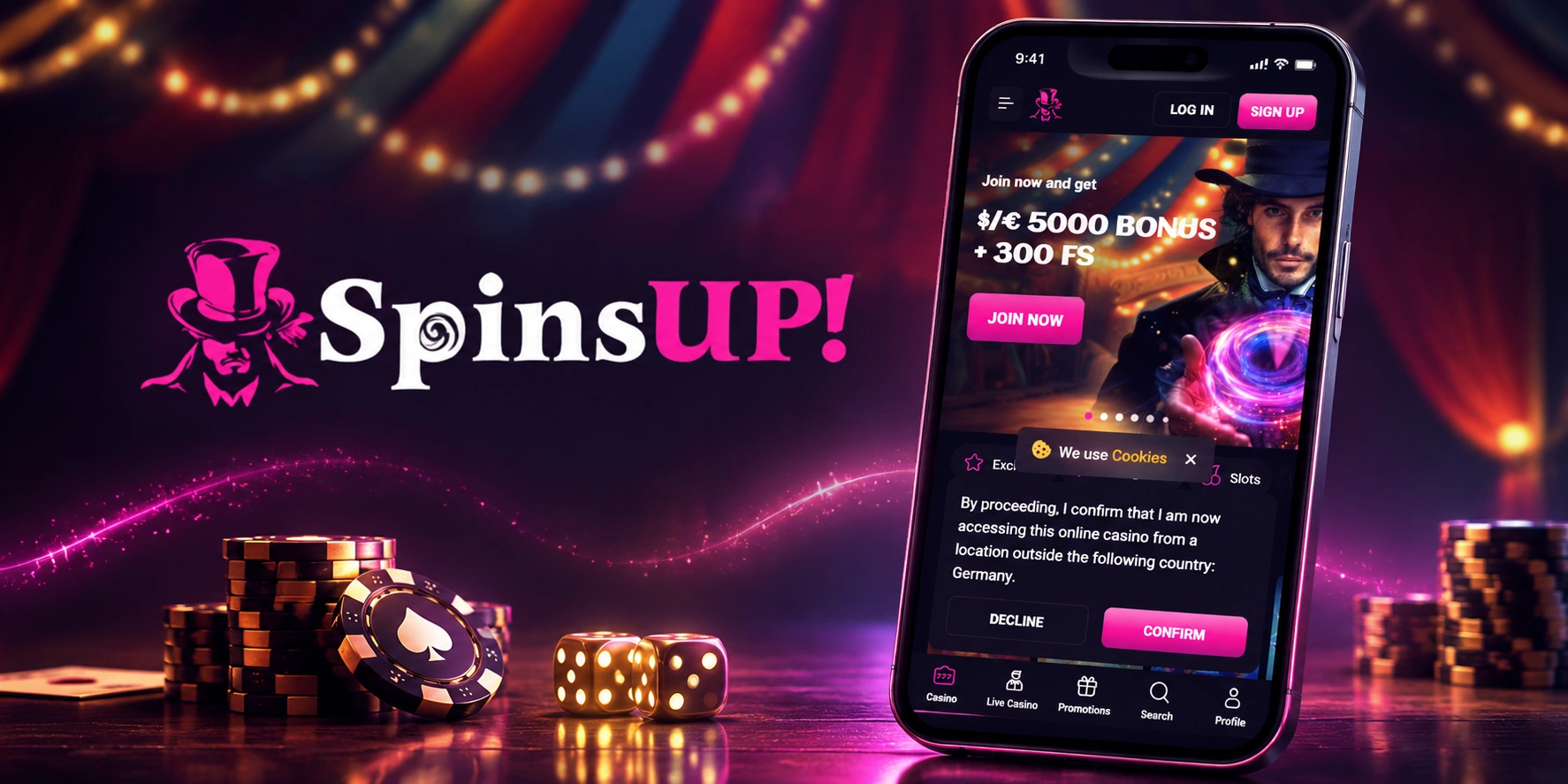

At SpinsUp, we built our mobile app so you can carry the entire casino in your pocket. Whether you're waiting for a coffee or relaxing on the couch, you can spin our slots, chat with live dealers, and chase bonuses without ever touching a desktop. Here at SpinsUp Casino, we designed the app around speed and simplicity, so getting from login to gameplay takes just seconds.
Below, we'll walk you through downloading the app, getting started, and why so many players prefer it over the browser version.
Why Players Choose the SpinsUp App
We've optimized every corner of the app experience, from loading times to touch controls. Here at Spins Up, our mobile platform gives you:
- Over 10,000 mobile-friendly games, including slots, table games, and live casino titles
- Instant access to live dealer blackjack, roulette, baccarat, and game shows from Evolution and Pragmatic Play Live
- One-tap navigation between lobby, promotions, and your account
- Full access to our loyalty program and VIP perks on the go
- Secure, encrypted transactions for deposits and withdrawals
App Security and Fair Play
We operate under a license from the Tobique Gaming Commission, and that licensing extends fully to our mobile platform. Every session on the SpinsUp Casino app runs through encrypted connections, keeping your personal and payment data protected. Our games undergo regular fairness testing, so whether you're spinning reels from KA Gaming or Hacksaw Gaming, you can trust the outcomes are random and fair.
We at VegasUp... correction, we at SpinsUp also apply responsible gambling tools directly in the app, letting you set deposit limits, session reminders, and cool-off periods without needing to log in from a desktop.
How to Get the SpinsUp Casino App
We don't currently offer a separate download from the Apple Store or Google Play, but that doesn't mean you're stuck with a clunky experience. Our Spins Up app runs as a progressive web app, which means you get an app-like icon, instant loading, and full functionality straight from your mobile browser - no storage space wasted on your phone.
For Android Users
- Open your mobile browser and go to the SpinsUp website
- Tap the menu icon (three dots) in your browser
- Select "Add to Home Screen"
- Confirm, and our icon will appear on your device just like a native app
- Tap the icon anytime to launch Spins Up instantly
For iOS Users
- Launch Safari and visit our site
- Tap the Share icon at the bottom of the screen
- Scroll down and select "Add to Home Screen"
- Name the shortcut and tap "Add"
- Your SpinsUp app icon is now ready to use whenever you want
Logging In and Getting Started
Once you've added our icon to your home screen, logging in takes seconds. Enter your username and password, and you'll land straight on our lobby, picking up right where you left off on desktop. We at SpinsUp keep your session synced across devices, so your balance, favorites, and bonus progress travel with you.
New here? Setting up an account with us is quick with our simple SpinsUp Casino sign up process:
- Tap the "Sign Up" button on the app homepage
- Fill in your email, password, and basic details
- Verify your email address
- Choose your currency from options like EUR, USD, CAD, or crypto
- Make your first deposit and claim your welcome package
Our SpinsUp library covers everything from Megaways slots to Hold & Win titles, and the mobile interface mirrors the desktop catalogue almost game for game. You won't miss out on bonus buy features, jackpots, or scratch cards just because you're playing from your phone.
Banking on the Go
Our Vegas Hero... apologies, back to SpinsUp - depositing and withdrawing through the app is just as smooth as on desktop. You can use Visa, Mastercard, Skrill, Neteller, ecoPayz, or crypto options like Bitcoin and Tether, all directly from your phone's browser.
- Minimum deposit: €20 (or local currency equivalent)
- E-wallets and crypto withdrawals: processed instantly
- Card withdrawals: 1-3 business days
- Bank transfers: 5-7 business days
Claim Your Welcome Bonus Through the App
Our Vegas... wait, let's stay on track - our SpinsUp welcome offer is fully accessible through the mobile app, and it's a generous one. Here's what new players unlock across their first four deposits:
| Deposit | Bonus | Free Spins |
|---|---|---|
| 1st Deposit | 100% up to €1,000 | 100 Free Spins |
| 2nd Deposit | 50% up to €1,000 | 50 Free Spins |
| 3rd Deposit | 50% up to €1,500 | 50 Free Spins |
| 4th Deposit | 75% up to €1,500 | 100 Free Spins |
In total, that's up to €5,000 plus 300 free spins across your first four deposits. Our Spins Up app makes claiming each offer straightforward - just enter the bonus code at checkout and the funds land in your account automatically. Wagering sits at 40x on bonus and free spin winnings, with a max bet of €5 per round while the bonus is active. For full terms, see our SpinsUp Casino bonus page.
Our Customer Support Within the App
We've built support access directly into the app menu, so help is never more than a tap away. Our team offers:
- Live Chat: available 24/7 for instant assistance
- Email: support@spinsup.com for general inquiries
- VIP WhatsApp line: vip@spinsup.com for our loyalty program's top tiers

Conclusion
We built the SpinsUp app to give you everything our desktop site offers, just lighter, faster, and always within reach. From claiming your welcome bonus to chatting with live dealers, our Spins Up platform keeps the full casino experience in your pocket. Add the icon to your home screen today and see why so many players now play exclusively through mobile.
FAQ
Do you have an app on Google Play or the Apple Store?
We don't currently list our app on official stores. Instead, we offer a browser-based app you can add directly to your home screen for the same experience.
Is the SpinsUp app free to use?
Yes, downloading and using our app costs nothing. You only need funds when you're ready to deposit and play for real money.
Can I claim bonuses through the app?
Absolutely. All our welcome offers, reload bonuses, and promotions like Tuesday Reload or Sunday Funday are fully accessible through the app.
Which devices support your mobile app?
We support most modern Android and iOS devices through mobile browsers like Chrome and Safari, so compatibility is rarely an issue.
Is my information safe on the app?
Yes, we use encrypted connections and operate under our Tobique Gaming Commission license, which covers both our desktop and mobile platforms equally.
How do I withdraw money using the app?
Simply go to your account section, select your preferred withdrawal method, and submit your request. E-wallets and crypto are processed instantly, while cards and bank transfers take a bit longer.
Content updated: November 11, 2026